01
Team map
Employees, projects, and statuses in a filterable view built for daily operations.
Orange Connect brought employees, schedules, and projects into an operational map connected to Agendrix—with configurable perimeters that showed where work was happening without multiplying manual follow-ups.
Source
Agendrix API
Surface
Responsive web
Context
Field teams
Interactive demo
Filter projects, display perimeters, and select an employee. This demonstration uses fictional data only.
Émile Desrosiers
Chef d’équipe
Public presentation · All names, locations, and statuses shown in the demo are fictional.
01 / The problem
To coordinate several teams and sites, managers had to cross-reference schedules, addresses, messages, and last-minute changes. Orange Connect turned that scattered data into geographic context that could be acted on immediately.
02 / Capabilities
The map was only the starting point. The product brought configuration, synchronization, and monitoring into a single workspace.
Employees, projects, and statuses in a filterable view built for daily operations.
Custom zones around every job site, contract, or service territory.
Schedules, profiles, and assignments structured from the API to prevent duplicate entry.
Important deviations surfaced so managers can focus their attention where it matters.
Views and actions tailored to administrators, project managers, and team leads.
Useful context retained to review events, changes, and interventions.
03 / System
An architecture designed to keep Agendrix as the source of truth while adding the geospatial context required for operations.
Employees, shifts, and assignments are retrieved from the existing source.
Data is structured around projects, roles, and access rules.
Each position is interpreted against project perimeters and parameters.
The map, filters, and alerts make exceptions immediately visible.
04 / Companion experience
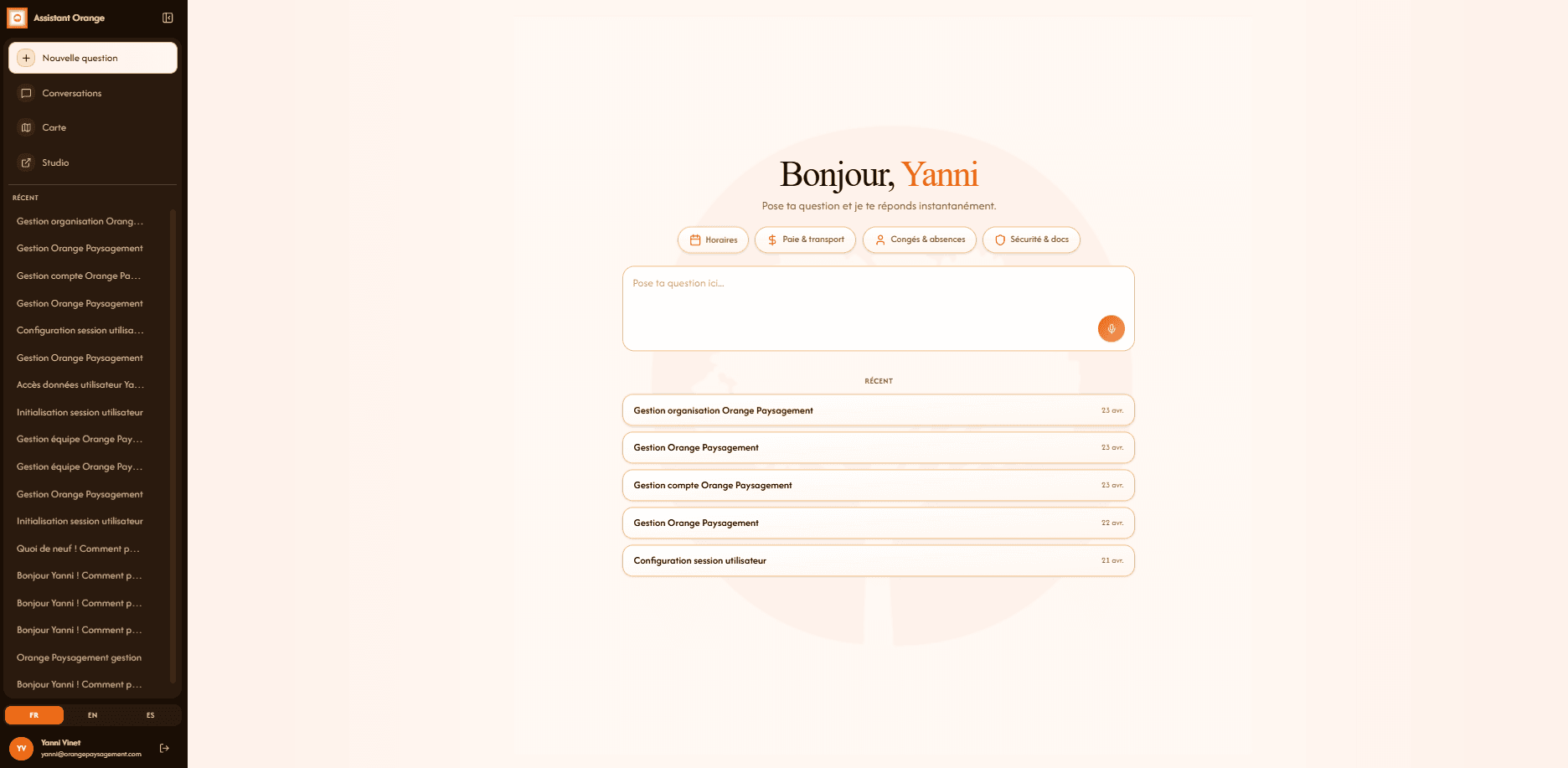
Alongside the map, a conversational interface made it easy to find answers related to scheduling, payroll, leave, and internal procedures.
Outcome
Less cross-referencing
Schedule, project, and attendance data lived in the same view.
Clearer priorities
Exceptions surfaced before the noise of day-to-day operations.
Reusable configuration
Each project retained its zones, teams, and parameters.
Need an internal tool?
Tell us about the field, the systems already in place, and what slows your team down. We’ll connect the rest.